New minor release for the Windows Calculator – a powerful software to sell uPVC windows and doors online. Let’s see what new features are available for Windows Calculator v15.2 since v15.
Breaking changes
Cart item properties order
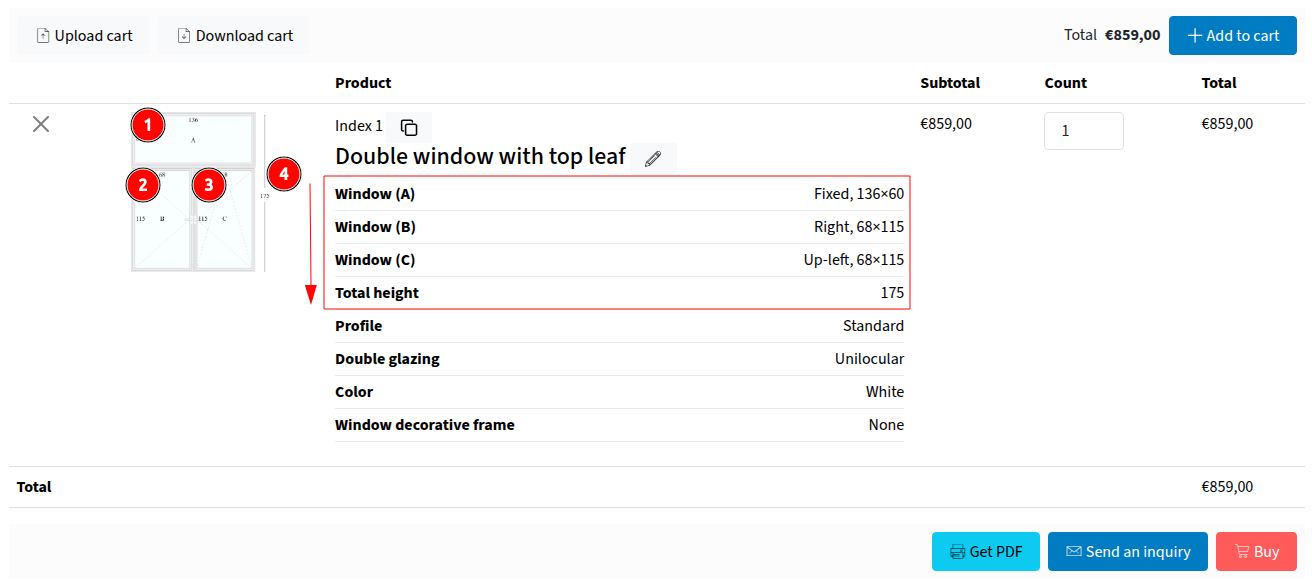
Initially, while adding a combination into the cart, its properties were ordered as:
- All products list;
- All utilities list.
From v15.1 this behavior is changed. Now it follows the item indexes to sort properties. For example, if you need to output utility size before all products, you can set its index to be before (1) products indexes (2, 3,…).
Formula variables file structure
According to the possibility for further improvements of the formula variable settings, now variables file requires the first heading row. It allows you to determine what setting is defined in the file and handle it appropriately.
Few features
Formula variable condition
This new setting allows adding condition rule to add or skip a variable. Variable isn’t added if the condition result equals zero. All other values means meet condition.
[total_price] > 100: meet iftotal_pricevariable is more than 100;([total_price] > 100) * ([my_variable] = 'foo'): meet iftotal_pricevariable is more than 100 AND custommy_variableis equal'foo';([total_price] > 100) + ([my_variable] = 'foo'): meet iftotal_pricevariable is more than 100 OR custommy_variableis equal'foo'.
This feature allows the creation of very flexible pricing and logic systems. For example, you can define one variable with different values and special conditions to choose and use one.
Matrix and Map formula variable types
There are two new types of formula variables. Let’s find out what possibilities they provide.
Matrix
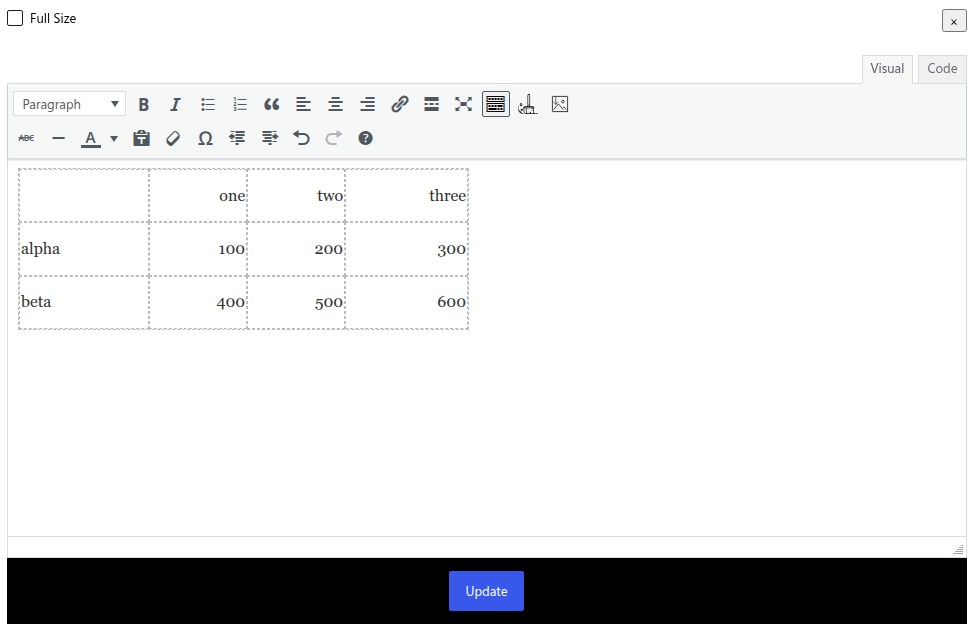
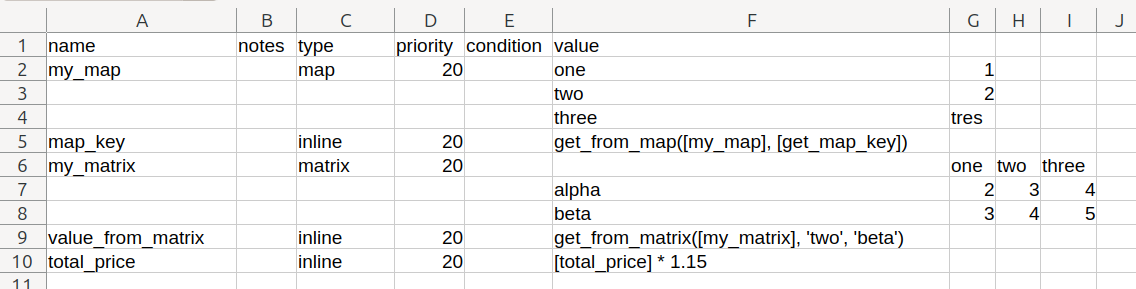
Matrix variable type allows storing tables and finding a value in crossing two keys.
The very first cell of the table is empty and isn’t used. The first row is used as the first range of values, while the first column is the second range of values. In cross of them are stored the returning values.
There is a new function to get a value from matrix:
get_from_matrix: (matrix, column, row, fallback = 0)
matrix– matrix table variable to work with;column– the first row used to find a value;row– the first column used to find a value;fallback– value to return if key isn’t found (default 0).
What’s the difference between the Matrix and Size table variable types?
The size table variable always works and returns a number. It selects a value from the table according to the roundTo option. Namely, it looks for the closest value by the passed width and height. Also, it returns a Size Error notice if found cell have no value (even not have zero).
While as the Matrix variable only trying to find a value by precise keys passed. Also, it returns a fallback value if the required cell is not found.
Map
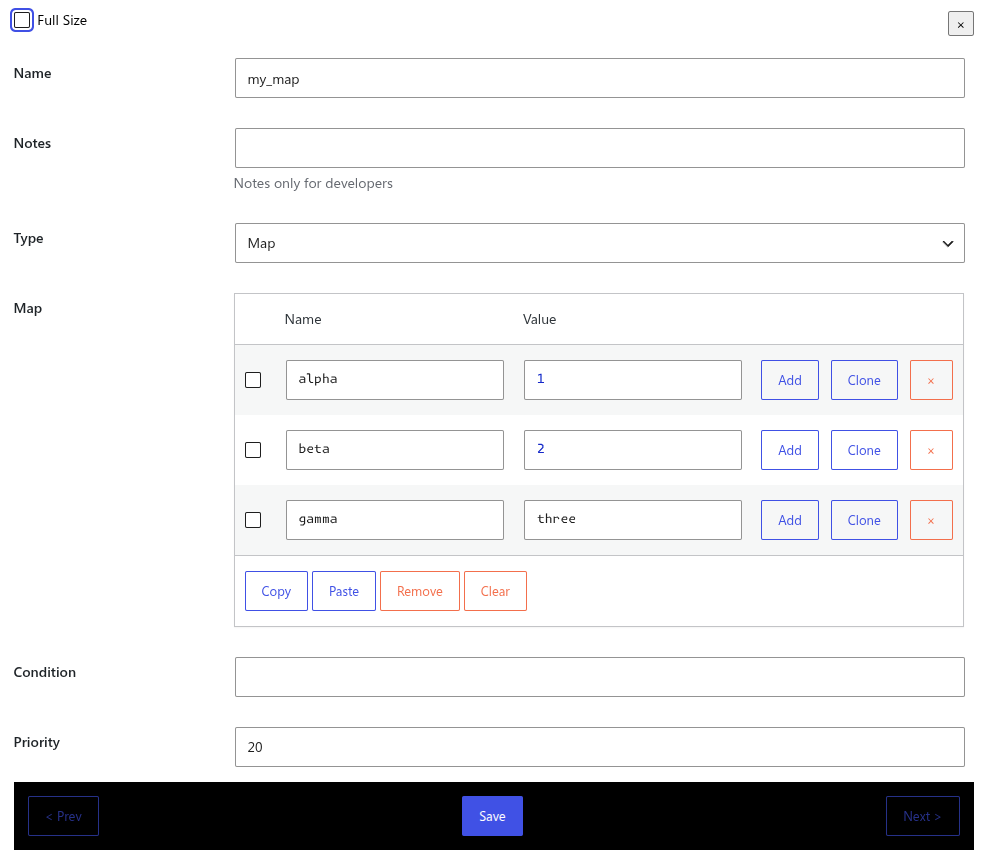
Map variable type allows to store array-like variables to get a value using a key. Name and value do no require quotes around, even for strings.
There is a new function to get a value from map:
get_from_map: (map, key, fallback = 0)
map– map variable to work with;key– key to find in the map;fallback– value to return if key isn’t found (default 0).
Using of these new variables can make your pricing calculation process more clear and precise.
Check the detailed documentation about formula variables.
GoogleSheets support
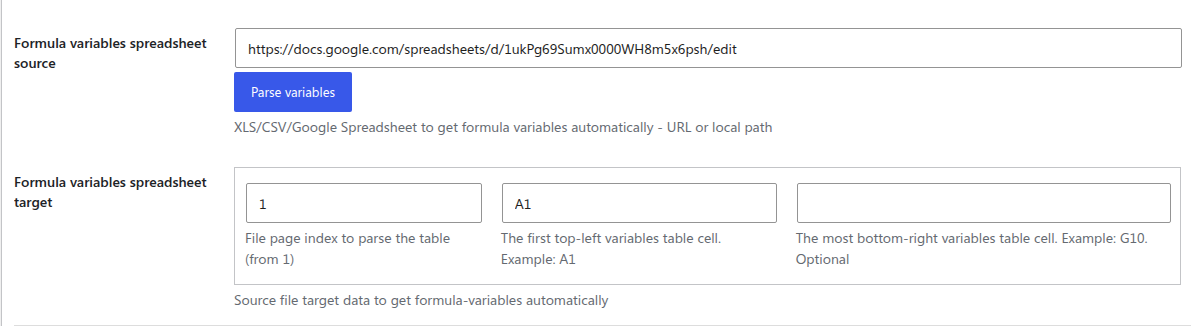
New plugin version finally supports GoogleSheets to be used as product prices or formula variables source. This gives possibility to adjust values faster, share file with your team, and have changes history.
Check the detailed documentation about the spreadsheets setup and possibilities.
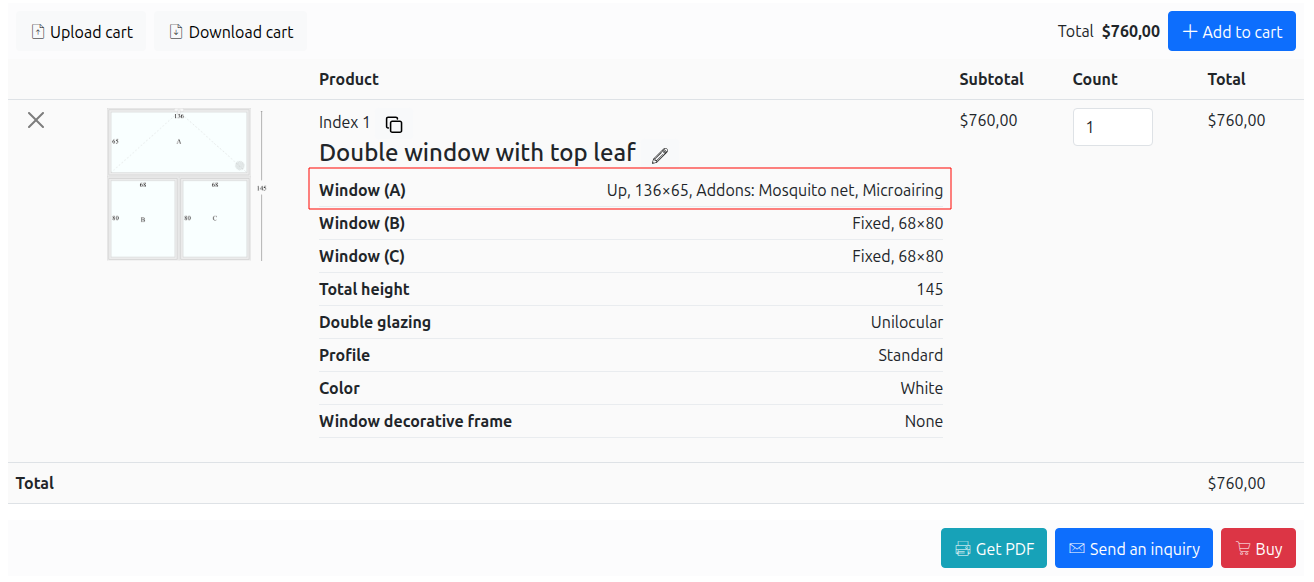
Product compact options
This option allows to control how individual options of a product will look like as a cart item properties. There is a way to list all inline and more compact:
And also possible to list these properties vertically to make them more obvious:
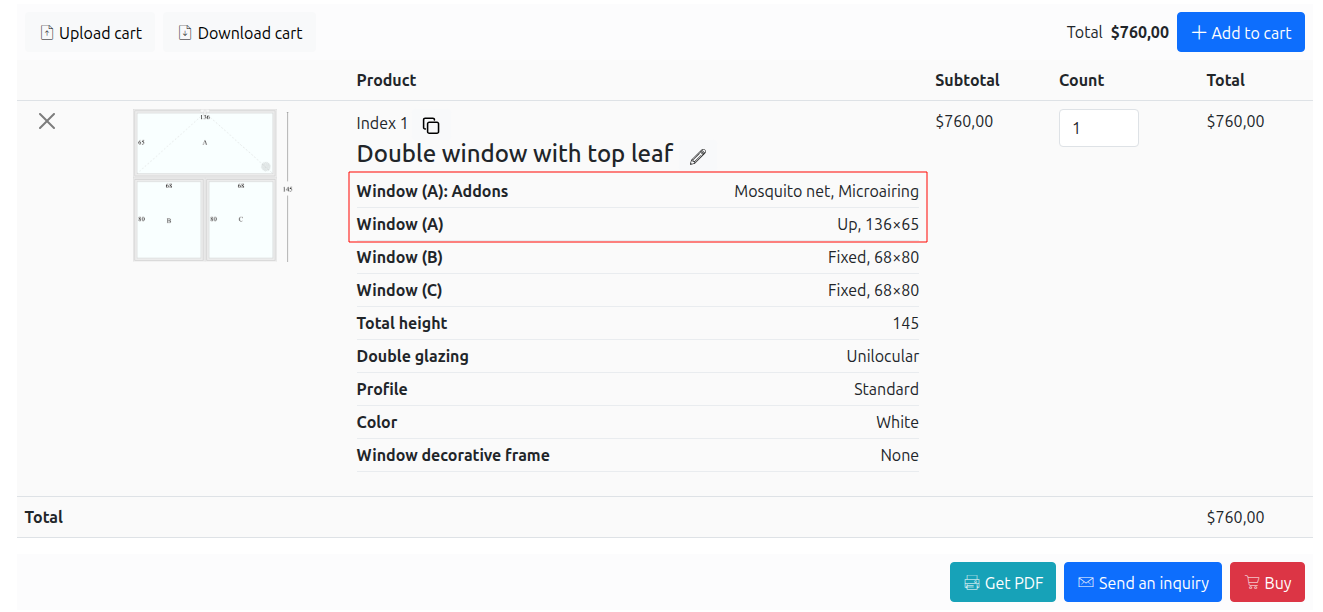
This only depends on your specific case, so you can choose the one fits better.
Smaller Improvements
There are more smaller features and improvements available with this release.
Also, the plugin code is made more reliable and optimized. And some bugs are fixed too, of course!
We will continue to implement new features and improve plugin possibilities! Stay save 😉